Guide · Screenshots taken 2026-07-04
WeChat Pay for Tourists
WeChat is China's do-everything app — messaging, mini-programs, and a payment wallet that works almost anywhere Alipay does. It's the wallet worth having as a backup, and setting it up is straightforward once you know the sequence. Every screenshot below is from a real setup run.
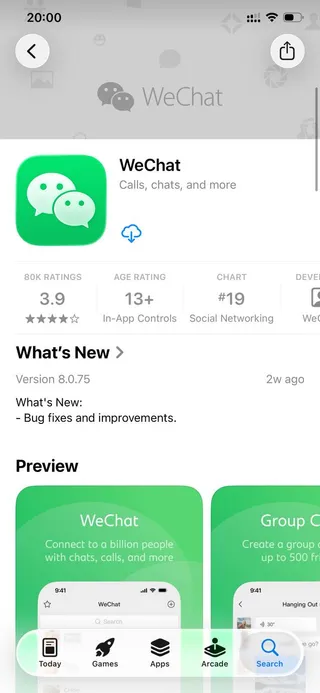
Download WeChat before you travel
Search “WeChat” in the App Store or Google Play — the green icon with two speech bubbles. Install it at home on Wi-Fi. It's a messaging app first, but the built-in WeChat Pay wallet is what makes it essential for travelers.
Open the app and choose your language
On first launch, tap the language selector (top right) to switch to English if needed, then tap Sign Up. If you already have an account, Log In instead.

Sign up with your mobile number
Choose Sign Up with Mobile. Apple and Facebook options exist, but registering with your phone number is the most reliable path to activating payments later. You don't need a Chinese number — your home mobile works.

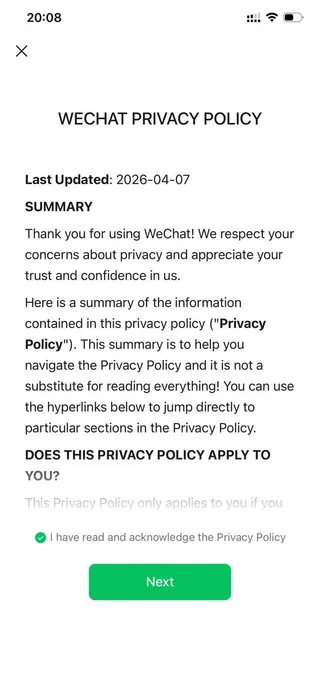
Acknowledge the privacy policy
Tick “I have read and acknowledge the Privacy Policy” and tap Next. As with all Chinese apps, this consent is required to continue.
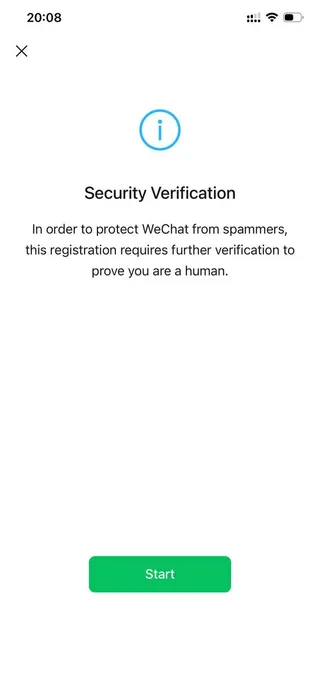
Pass the security check
New accounts must clear a security verification to prove you're human — tap Start and complete the puzzle. This is WeChat's anti-spam step; if it fails, wait a moment and retry.
You're registered
You'll land on the Chats tab with a welcome message from the WeChat Team. Registration is done — now to turn on payments.

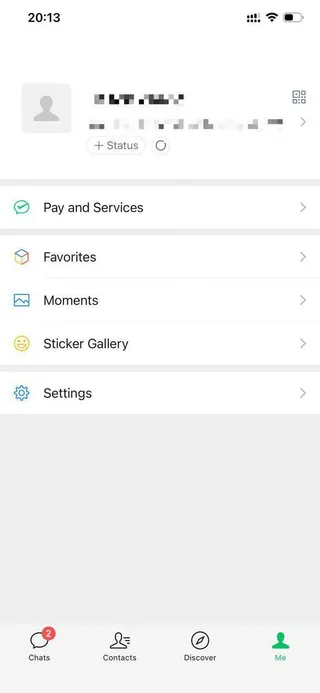
Open the “Me” tab
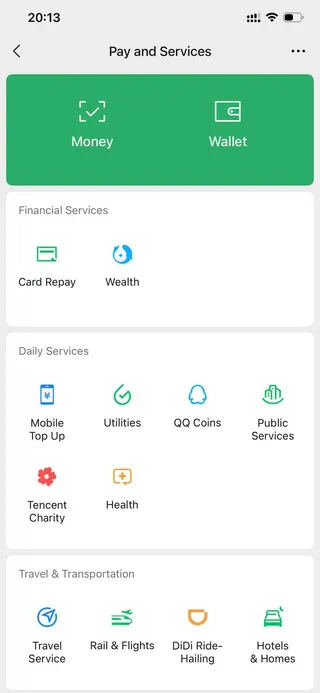
Tap Me in the bottom-right corner, then tap Pay and Services (labeled just “Pay” or “Services” on some versions). This is the gateway to your wallet.
Enter Pay and Services
Here you'll find Wallet, Money, and a grid of services — DiDi rides, rail and flights, hotels, utilities. Tap Money (the payment-code screen) to begin activation.
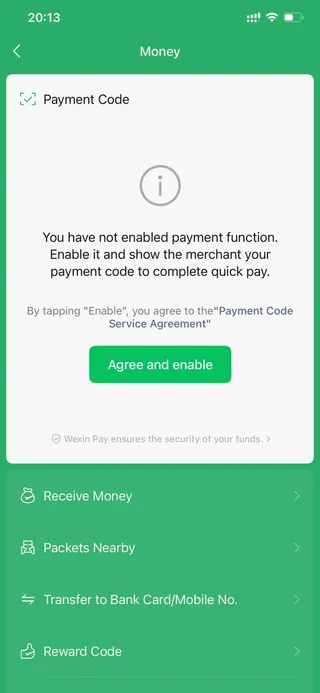
Enable the payment function
Tap Agree and enable to switch on the payment code — the barcode/QR that shops scan. It will then prompt you to add a payment method.
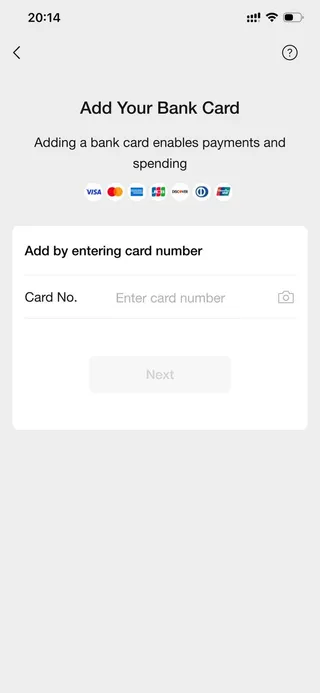
Add your foreign card
Choose Add a Card and enter your card number (or scan it). Visa, Mastercard, American Express, JCB, Discover, Diners Club, and UnionPay are accepted. Confirm the details and complete the small verification — you're ready to pay across China.
Frequently asked questions
- Alipay or WeChat Pay — which should a tourist set up?
- Set up both if you can, but Alipay is usually the smoother starting point for foreigners. WeChat Pay is worth having as a backup, since a few merchants and mini-programs prefer it, and WeChat doubles as China's main messaging app.
- Do I need a Chinese phone number or bank account?
- No. Register with your home mobile number and link an international card (Visa, Mastercard, Amex, JCB, Discover, Diners, or UnionPay). No Chinese bank account required.
- Why does WeChat ask for my passport?
- Chinese regulations require real-name verification for payments. Uploading your passport in the app (a one-time step) unlocks normal spending limits. It's the same requirement Alipay has.
- Are there fees?
- WeChat Pay doesn't charge a fee on everyday payments; a small service fee can apply above a certain amount and is shown before you confirm. Your card's foreign-transaction fee still applies, so a no-foreign-fee card is ideal.
- What if the security verification keeps failing?
- It can be finicky on new accounts. Try switching to a stronger Wi-Fi connection, wait a few minutes, and retry. Registering while still in your home country, before you travel, tends to be smoother.
Screens and policies current as of 2026-07-04 (WeChat international version, iOS). App flows change with updates — if a screen looks different, the sequence still applies. Tell us if something's outdated.